
QuickSlip
Jump to your apps, windows, and browser tabs in one shortcut.
macOS 14+ · Apple Silicon tested
Apps
Focused tools, each with its own product page.
QuickSlip
Switch to anything on your Mac instantly.
Everything in QuickSlip
Designed to get you where you need to go faster.
Apps, Windows, and Tabs
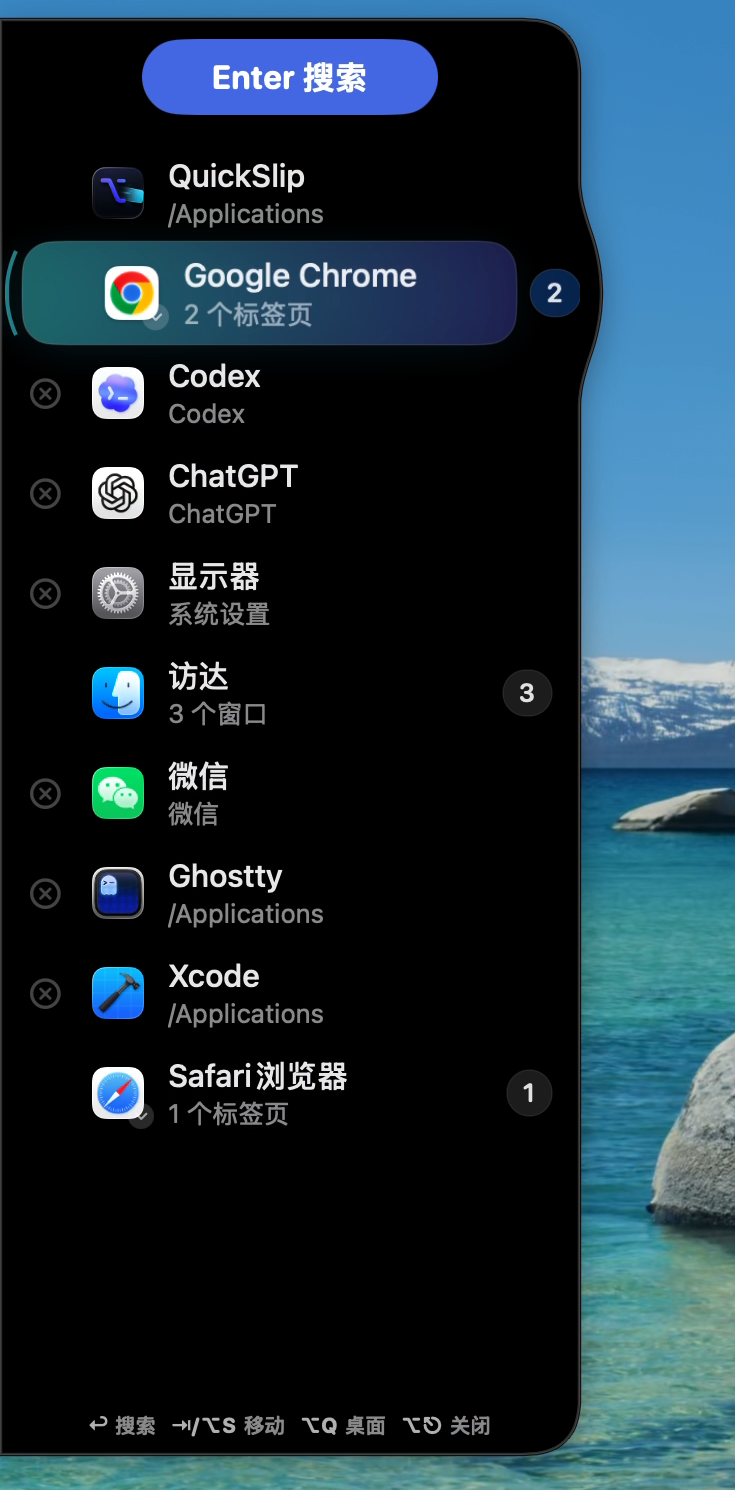
Search across apps, open windows, and browser tabs in one place. Results rank as you type so you can act fast.
Privacy-First, Always Local
QuickSlip runs entirely on your Mac. Diagnostics avoid window titles, tab URLs, and personal content.
Built for Keyboard Speed
Launch with a shortcut, type, and go. Stay in flow without reaching for the mouse.
One shortcut, three moves.
QuickSlip is built around the moment when you know where you want to go, but macOS makes you hunt for it.
Summon
Hold the global shortcut and QuickSlip slides in from the screen edge, ready for keyboard-first switching.
Filter
Type to narrow apps, windows, browser tab groups, and individual tabs with fast fuzzy matching.
Act
Open, enter groups, close supported tabs or windows, jump to Desktop, or leave without changing context.
Made for real Mac work.
Small details matter when the switcher is something you use hundreds of times a day.
Grouped browser tabs
Supported browser tabs can appear as a compact group first, then expand into the exact tab list when you need precision.
Window groups
Multiple windows from the same app stay organized, so you can enter the group instead of scanning a flat list.
Close from the switcher
When a row supports it, close a tab, window, or app directly from the panel without breaking flow.
Local diagnostics
Useful troubleshooting data avoids window titles, tab URLs, and personal content.